
Reusable connection profiles
Create a Custom Jigsaw Puzzle Slot Template
A slot template supplies the connection profile used by the puzzle generator. Start with one of three built-in profiles or create an open vector path that fits your own visual language.

What you can do
- Three built-in starting templates
- Bezier-based custom paths
- Import and export template SVG
- Persistent templates available to new projects
Start with a built-in connection profile
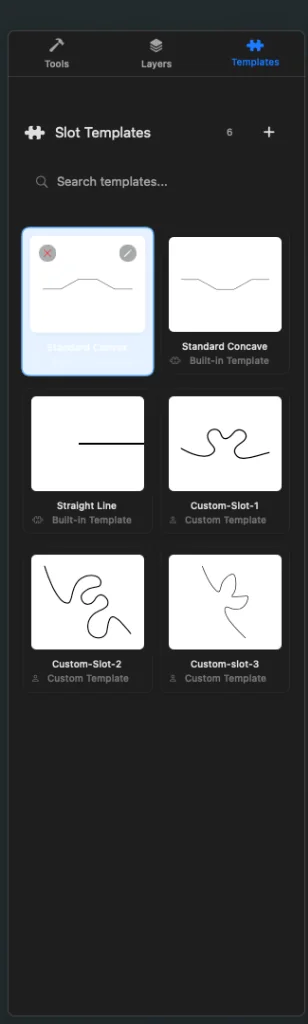
JigsawDesigner includes Standard Convex, Standard Concave, and Straight Line templates. Select one in the Templates panel before generation to change the connection profile supplied to the engine.
Draw or import a custom open path
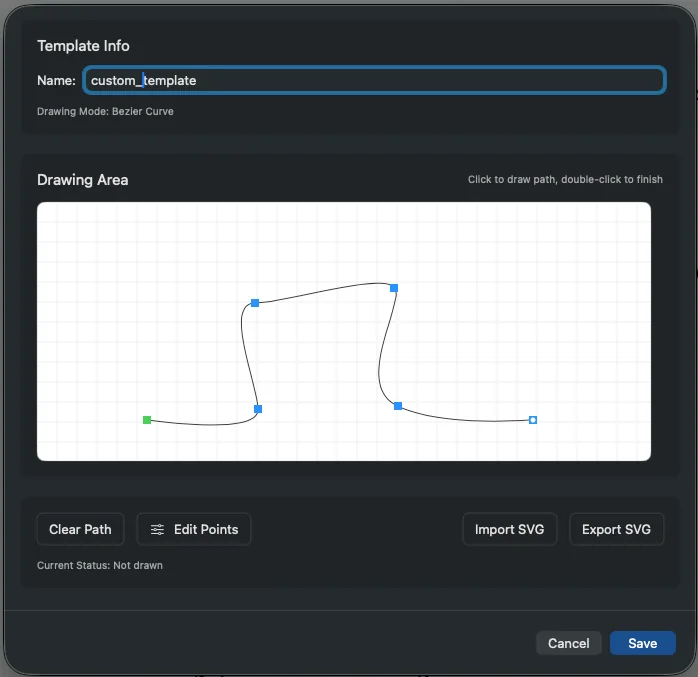
Open the Template Editor, name the template, and draw the profile with Bezier anchors and handles. You can edit points, clear the path, or import an existing SVG path as a starting point.
- Keep the connection profile as an open path
- Use a simple, deliberate contour
- Inspect anchor placement and curve continuity
- Export the template SVG as a portable backup
Reuse the template and inspect each result
Custom templates are persisted and can be included in newly created projects. Generation combines the template with the current boundary and parameters, so inspect the resulting connections each time rather than assuming one profile fits every boundary or density.
Frequently asked questions
How many templates are built in?
Three: Standard Convex, Standard Concave, and Straight Line.
Can I import a custom template from SVG?
Yes. The Template Editor supports SVG import and export.